

Choosing the best wireless mouse in 2026 is less about chasing the highest DPI number and more about finding the shape your hand actually likes. A great wireless mouse disappears: it tracks cleanly on any desk, lasts weeks (or months) on a charge, and never makes you hunt for a cable in the middle of a workday.
This guide compares seven real, current wireless mice across every use case — all-day office work, travel, ergonomic comfort and competitive gaming. Every pick below is a genuine current model from Logitech, Razer or Apple, verified against manufacturer and retailer listings in November 2026.
Price note: prices below are approximate US prices and change often, especially around Black Friday and holiday sales. Check the live price button before you buy, and always confirm the exact configuration — brands sell very different mice under similar names.
What to prioritise in a wireless mouse
- Shape first. Size and hand fit matter more than sensor specs — a mouse that cramps your hand is a bad mouse at any price.
- Battery life second. Rechargeable mice should last weeks; battery mice like the Pebble should last months.
- Connectivity. Bluetooth is convenient, but a USB receiver (Logi Bolt, Razer HyperSpeed) is more reliable on managed work laptops.
- Multi-device switching. If you juggle a laptop and a desktop, one button that swaps between them is a daily time-saver.
- Weight for gaming. Competitive players want under 70 g; office users should not pay a premium for lightness they will never feel.
Logitech MX Master 3S — The best all-round wireless mouse
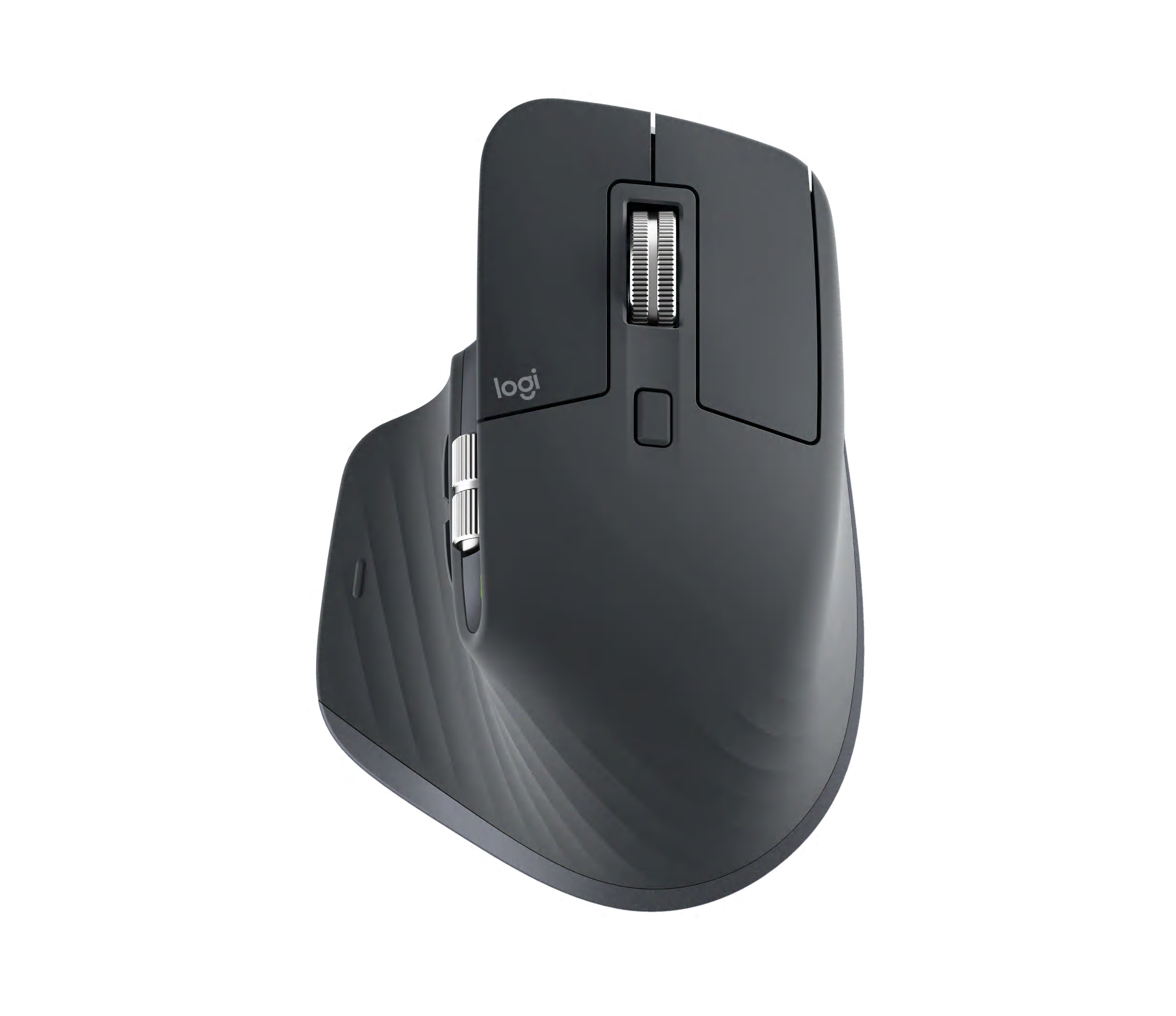
The MX Master 3S remains the default recommendation for desk workers: a sculpted right-handed shape with a thumb rest, near-silent clicks (about 90% quieter than its predecessor), the MagSpeed electromagnetic scroll wheel, and an 8,000 DPI Darkfield sensor that tracks even on glass. It pairs with up to three devices over Bluetooth or the Logi Bolt receiver, and Logitech rates its rechargeable battery at up to 70 days per charge.
Best for: office and creative professionals who spend all day at a computer.
Logitech MX Anywhere 3S — The best travel mouse
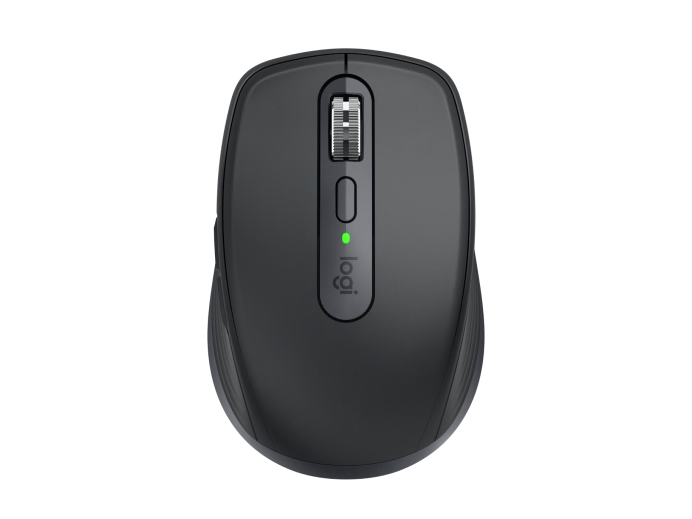
The MX Anywhere 3S shrinks the Master formula into a compact body that fits a laptop sleeve: the same quiet clicks and 8,000 DPI sensor, MagSpeed scrolling, and three-device switching, in a mouse small enough to carry everywhere. The trade-off is a flatter shape that suits smaller hands and shorter sessions better than eight-hour desk days.
Best for: hybrid workers and travellers who want a premium mouse in a small bag.
Razer DeathAdder V3 Pro — The best lightweight gaming mouse

At just 63–64 g, the DeathAdder V3 Pro is one of the lightest full-size gaming mice you can buy, with Razer's Focus Pro optical sensor, HyperSpeed wireless, and up to 90 hours of battery life. It is a right-handed, gaming-first shape — no Bluetooth, no multi-device switching — but for competitive play, that focus is the point.
Best for: gamers who want a light, precise, no-compromise wireless mouse.
Razer Basilisk V3 Pro — The best feature-packed gaming mouse
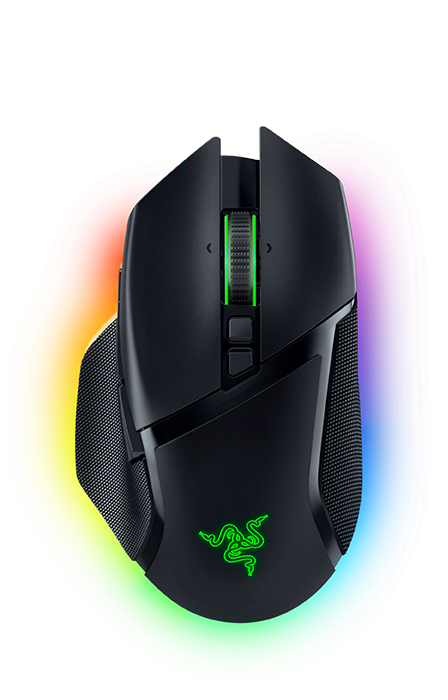
The Basilisk V3 Pro is the DeathAdder's feature-rich sibling: a 30,000 DPI Focus Pro sensor, 10+1 programmable buttons including a sniper clutch, HyperSpeed wireless plus Bluetooth, up to 90 hours of battery with RGB off, and optional wireless charging via the Dock Pro. At about 112 g it is heavier, but it doubles as a productivity mouse far better than most gaming mice.
Best for: gamers who also want buttons, Bluetooth and all-day versatility.
Logitech MX Vertical — The best ergonomic mouse
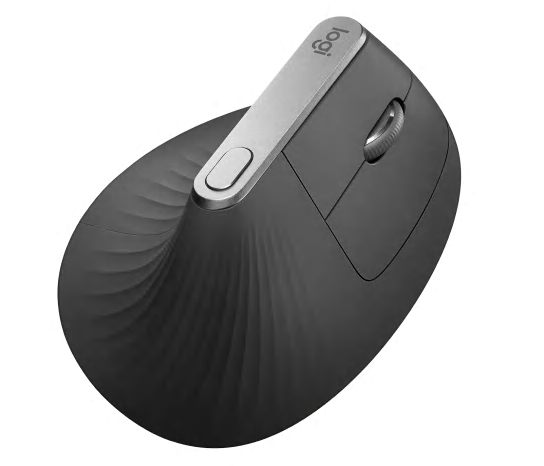
The MX Vertical holds your hand at a natural 57-degree handshake angle, which reduces forearm strain for people who already feel wrist discomfort from a flat mouse. It keeps the MX family's 4,000 DPI sensor, multi-device pairing and USB-C charging, but expect a few days of adjustment — a vertical mouse feels strange before it feels better.
Best for: anyone with wrist strain, or anyone who wants to avoid it.
Logitech Pebble Mouse 2 M350s — The best budget mouse
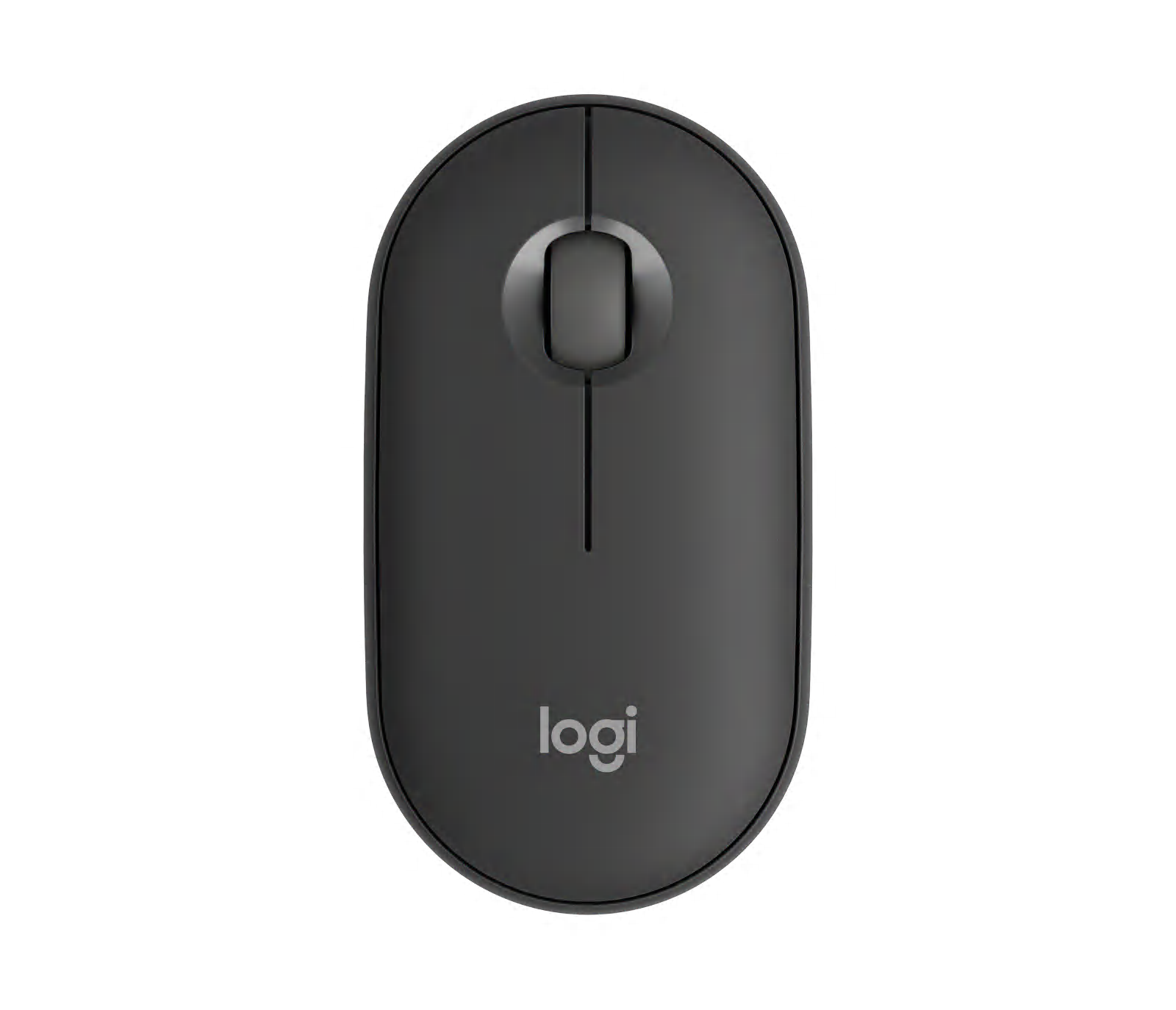
The Pebble Mouse 2 M350s is a slim, silent, ambidextrous mouse that weighs just 76 g, pairs with up to three devices over Bluetooth, and runs for up to 24 months on a single AA battery. It has only three buttons and a 4,000 DPI sensor, but for everyday browsing, documents and study, it is all most people need — at a fraction of the price of the mice above.
Best for: students, casual users and anyone who wants a cheap, quiet second mouse.
Apple Magic Mouse — The best mouse for Mac minimalists

The Magic Mouse is the only mouse here with a full multi-touch surface instead of buttons and a wheel: swipe, scroll and pinch directly on the mouse, with seamless macOS gestures. It is beautiful and lasts about a month per charge, but the low, flat shape divides opinion for long sessions — and the charging port sits underneath, so you cannot use it while it charges.
Best for: Mac users who value gestures and minimalism over ergonomics.
Quick comparison
| Model | Key strength | Best for |
|---|---|---|
| Logitech MX Master 3S | Quiet clicks, MagSpeed wheel, 8K DPI | All-day desk work |
| Logitech MX Anywhere 3S | Compact premium, 3-device switching | Travel |
| Razer DeathAdder V3 Pro | 64 g, 90-hour battery | Competitive gaming |
| Razer Basilisk V3 Pro | 11 buttons, Bluetooth + HyperSpeed | Gaming + productivity |
| Logitech MX Vertical | 57-degree ergonomic angle | Wrist comfort |
| Logitech Pebble Mouse 2 M350s | Silent, 24-month battery, 76 g | Budget / casual use |
| Apple Magic Mouse | Multi-touch gestures, macOS integration | Mac minimalists |
Buying tips
- Match the mouse to your hand size. Large hands suit the MX Master and DeathAdder; small hands suit the MX Anywhere and Pebble.
- Check your laptop's ports. If your work laptop blocks Bluetooth pairing, you need a mouse with a USB receiver.
- Do not overpay for DPI. Above about 1,600 DPI, shape and weight matter far more than sensor numbers for everyday use.
- Try the shape if you can. Ergonomics are personal — a mouse everyone loves can still be wrong for your hand.
FAQ
Is a wireless mouse as responsive as a wired one? For office work, yes — modern Bluetooth and 2.4 GHz wireless are indistinguishable from wired. Competitive gamers should pick a 2.4 GHz gaming mouse with a high polling rate, like the DeathAdder V3 Pro.
How long do wireless mouse batteries last? Rechargeable mice like the MX Master 3S last weeks per charge; battery mice like the Pebble Mouse 2 M350s last up to 24 months on one AA battery. Actual life depends on usage and polling rate.
Do I need a gaming mouse for office work? No — a productivity mouse like the MX Master 3S gives you better scrolling, quieter clicks and multi-device switching, which matter far more at a desk than gaming sensor specs.
Conclusion
For most people, the Logitech MX Master 3S is still the safest buy in 2026: comfortable, quiet, long-lasting and genuinely useful software. Travellers should grab the MX Anywhere 3S, gamers the DeathAdder V3 Pro, and bargain hunters the Pebble Mouse 2 M350s — all three are excellent at what they do, without the flagship price. Which mouse are you using now, and what would make you switch? Tell us in the comments.
